Professional OMR grading programs built for education. Five editions support grading at schools, universities, academies and organizations.
Windows only Installed · movable between PCs Excel · CSV export License key activation
Core Features
Core Technologies of Edu24 Software
The technology behind Edu24 software, from reading to output
Edu24 Engineered
Proprietary Engineering
In-house design · in-house development · built entirely in-house, no outsourcing
Every program in the 5-program lineup is built directly by Edu24's dedicated engineering team, which handles the entire process in-house — from requirements analysis to design, development, QA, deployment and after-sales support. Compared with outsourcing, this proprietary engineering system ensures faster feature updates, consistent code quality and security policies, and custom improvements optimized for each customer's environment.
OMR Automatic Recognition Engine
A high-precision mark recognition algorithm reads answer sheets automatically the moment they are scanned. It analyzes mark darkness, mark position and even traces of correction to achieve 99.9% recognition accuracy, and automatically handles exceptions such as multiple marks, blank answers and partial marks.
Excel Integration
Automatically exports grading results, score analysis and statistical data in Excel (.xlsx) format, integrating immediately with your existing academic workflow.
Built-in SQLite DB
Runs on local files without installing a separate DB server. Exam history, student data and grading results are stored safely, and backup and restore are simple.
Installed · transferable to another PC
Install it in a few steps with the installer — and when needed, move it to another PC and keep grading in the same environment.
Real-time Statistical Analysis
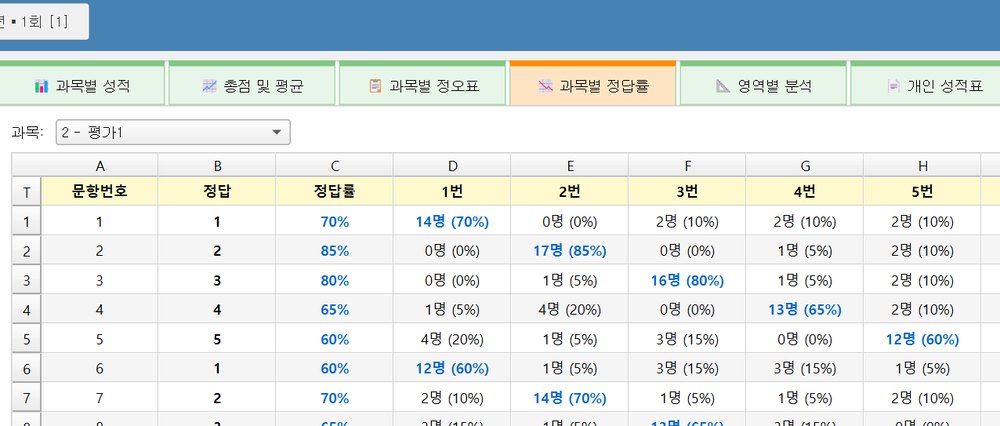
Calculates per-question correct rates, discrimination and difficulty in real time, and automatically generates all the statistics education requires — score distributions, rankings, standard deviations and more.
License Key Activation System
Software activation is based on a unique license key. After activation the program can be used without limit on that PC, and keys are reissued when you replace your PC. It works normally even offline, with no network connection.
Software Lineup
Program Lineup
5 professional grading programs optimized for each use
Why Edu24 software
OMR software developed in-house by Edu24, from scanning to output
Edu24 develops every part of its software in-house, from scanner reading to grading and output. It comes in five editions for the different testing practices of schools, universities, academies and organizations, each with the features that setting needs.
5Editions by purpose
3Output formats (NEIS CSV · Excel · PDF)
0No server needed — runs on a PC
TWAINDirect scanner control · simplex · duplex
PYTHON READING ENGINE
Built in Python, the language of choice for image recognition
OMR software has long been written in C and C++. Edu24 built a new reading engine in Python — the language favored in image recognition and AI — with the OpenCV and NumPy image-processing libraries, handling sheet alignment and mark recognition through image processing.
Conventional OMR softwareC · C++
Edu24 reading enginePythonOpenCV · NumPy
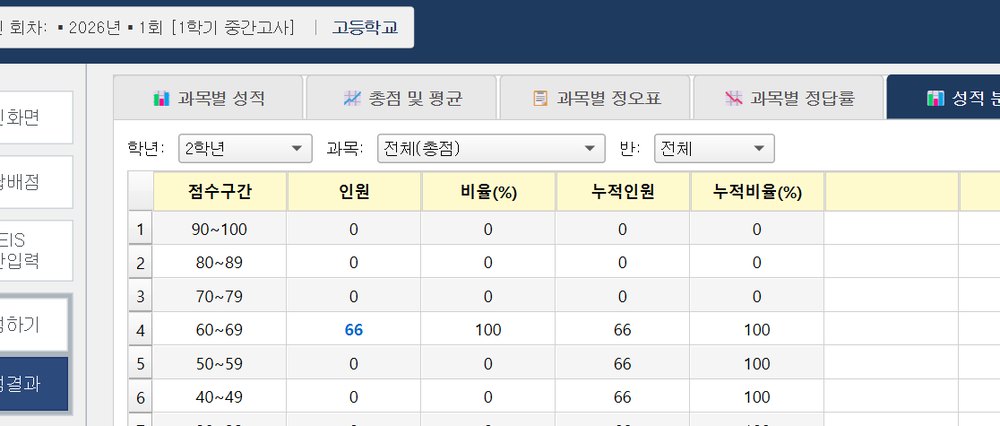
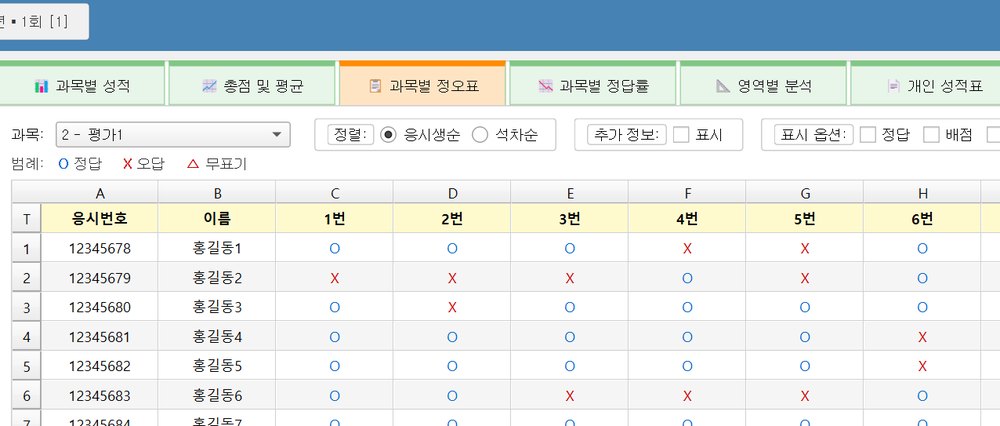
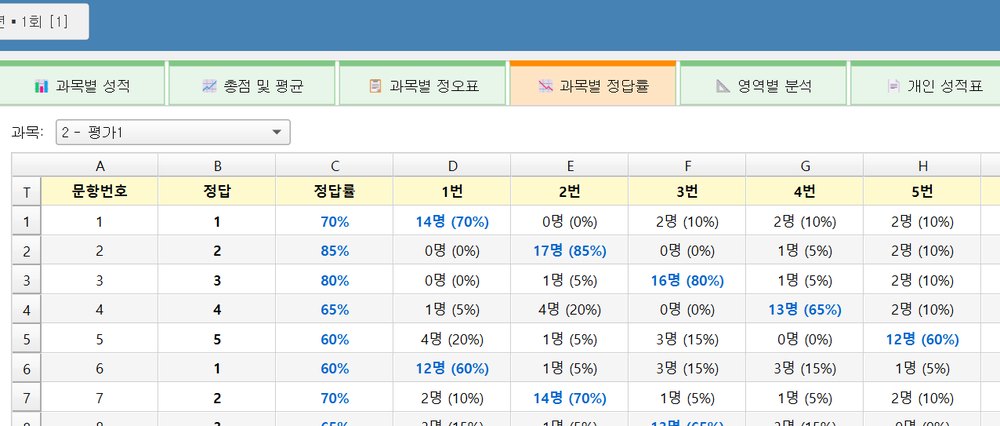
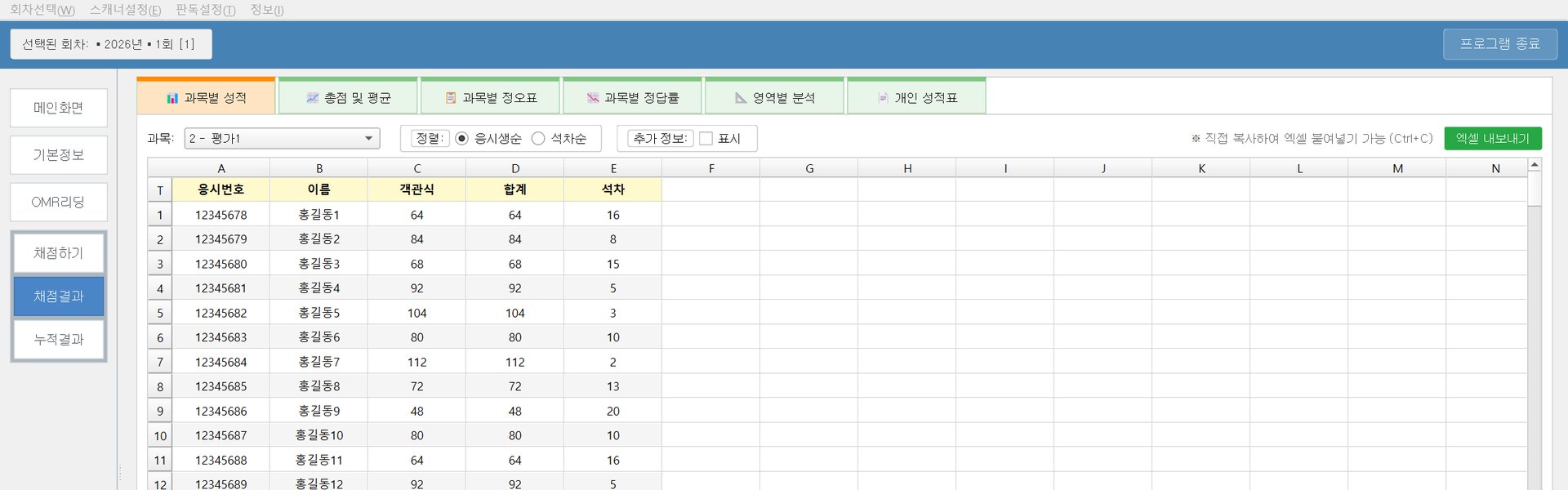
Actual program screens
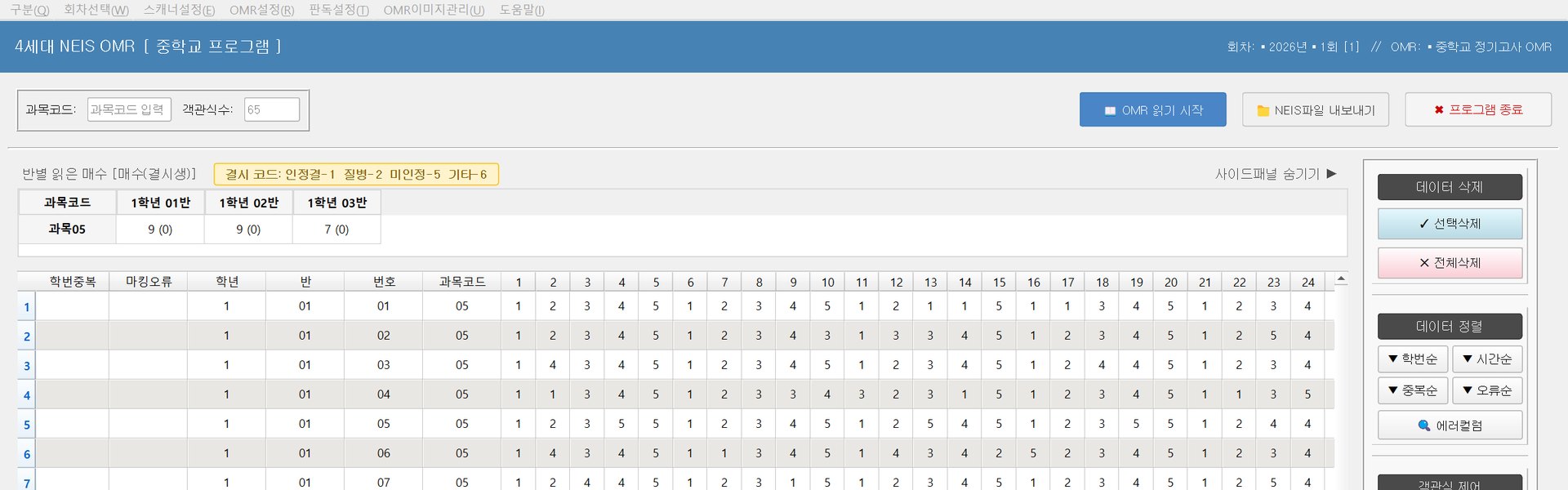
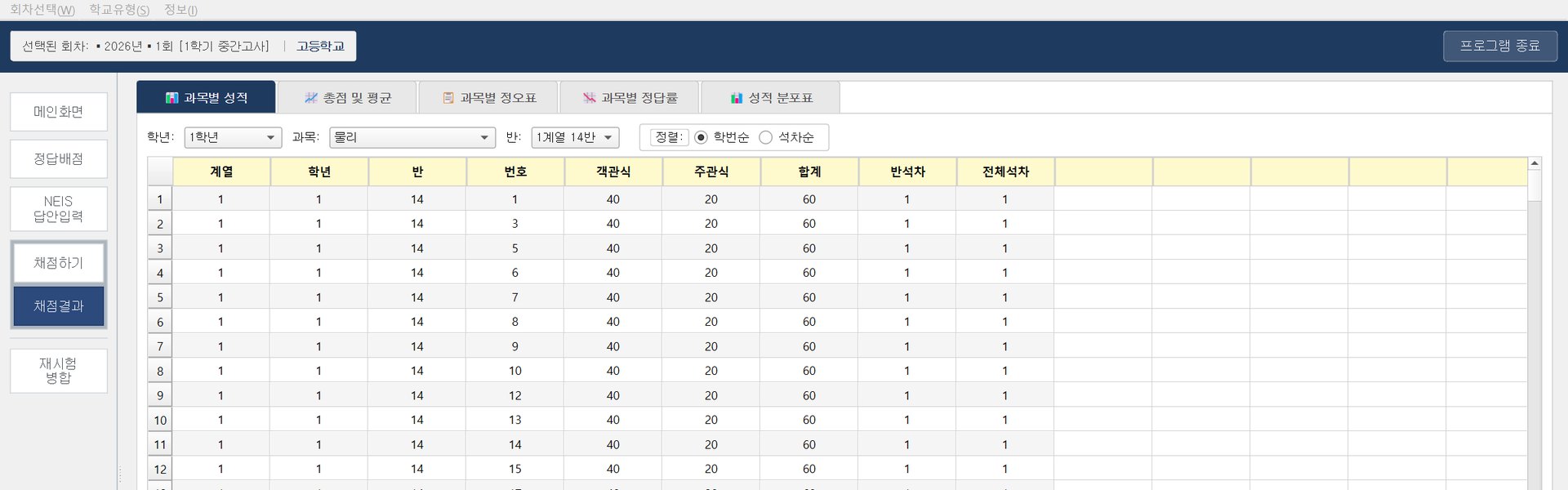
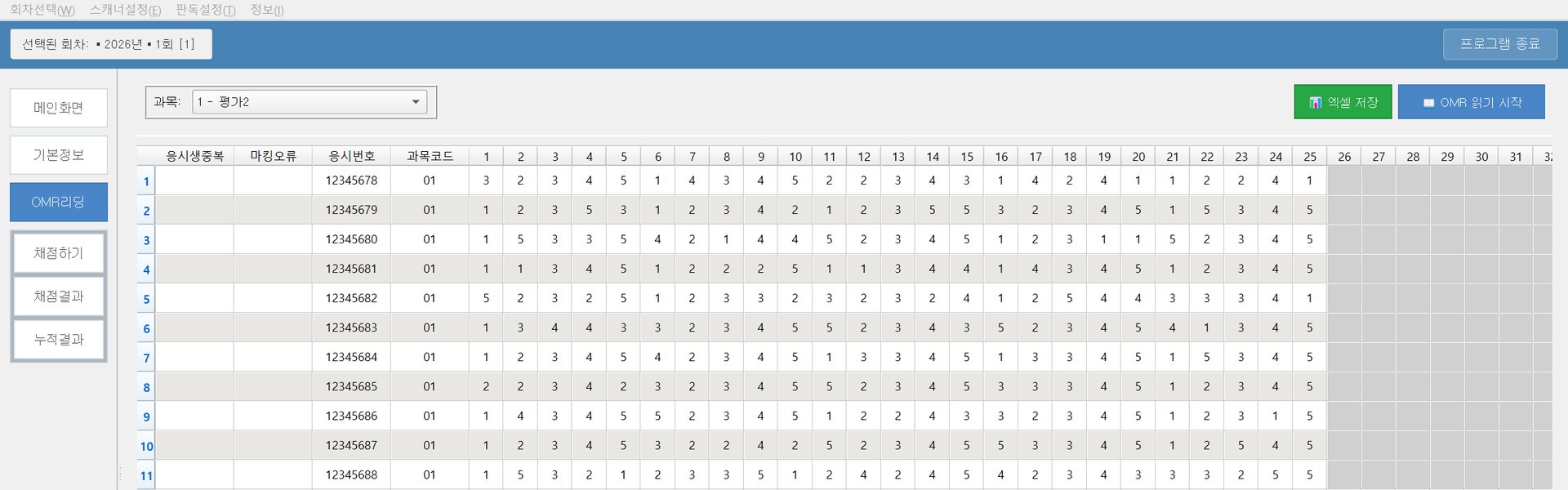
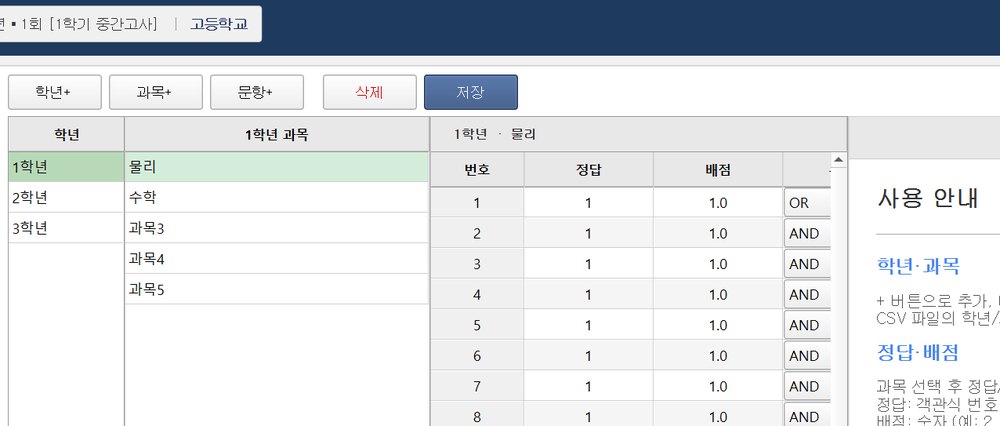
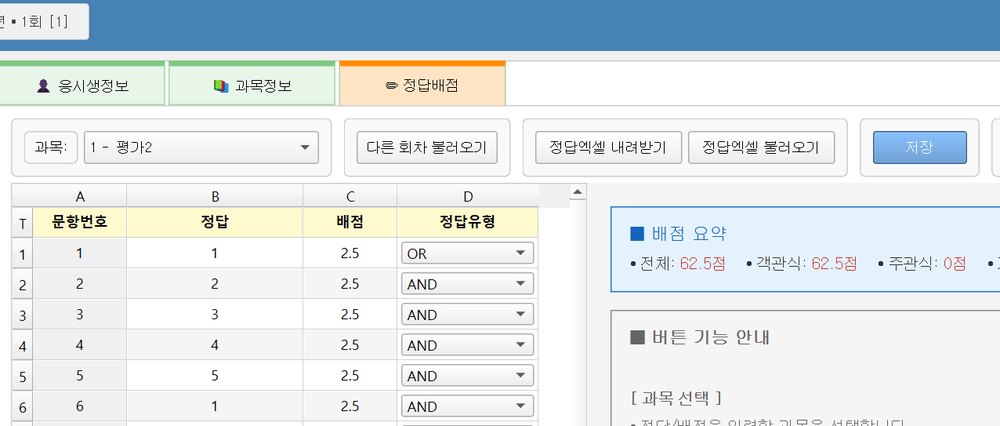
Edu24 NEISEdu24 SchoolEdu24 Campus
How it works
1ScanAnswer sheets read by a TWAIN scanner
2ReadPosition correction by timing marks · mark recognition
3GradeScores calculated against the answer key
4OutputNEIS CSV · Excel · individual score report PDF
Six reasons we recommend it
01
In-house Python reading engine
Corrects sheet position using timing marks, with darkness, area and noise sensitivity adjustable to each sheet.
02
Works with your scanner as is
Controls the scanner directly via TWAIN using the manufacturer driver settings, for both simplex and duplex scanning.
03
Results ready for NEIS
Exports results as a CSV file ready to upload to NEIS, Korea’s national school information system — no manual re-entry needed.
04
One PC, no server
Each test session is stored on the PC as an SQLite file — no server needed, and copying the session folder is a full backup.
05
Excel and PDF reports
Exports results to Excel (.xlsx) and creates an individual score report PDF for each student.
06
Automatic updates
The program checks for new versions and installs them automatically, so it is always up to date. (Except Edu24 School)
For: middle and high schools across Korea — regular exams (midterms and finals)
An OMR grading program specialized for middle and high school regular exams. It automatically reads 4- and 5-choice multiple-choice answers and outputs results in the format required for NEIS grade processing. It supports every function needed for regular exams, including batch grading by subject and class, multiple correct answers and weighted scoring.
OpenCV · NumPy image processing — position correction by timing marks, adjustable darkness, area and noise sensitivity
Scanner control
Direct TWAIN control — uses the manufacturer driver settings, simplex and duplex scanning
Data storage
Per-session SQLite files — stored on the PC with no server, back up by copying the session folder
Code protection · Distribution
PyArmor code obfuscation, packaged as an executable
Updates
A dedicated updater (C# · .NET) installs new versions automatically
Output
CSV file for NEIS upload
Operating system
Windows 10 / 11 (64-bit)
Key Features
Automatic grading of 4/5-choice questionsMultiple correct answersWeighted scoringBatch grading by subjectScores separated by classPer-question correct rate analysisAutomatic ranking/grade calculationCSV for NEIS upload
A general-purpose grading program optimized for everyday tests in middle and high schools. It supports many test types beyond regular exams — unit assessments, pop quizzes, performance assessments and more — and its simple UI lets teachers use it right away without training.
A dedicated grading program optimized for large-scale university exams. It has features that fit university academic systems, such as automatic application of relative grading (A–F) ratios, switching to absolute grading, and re-exam management.
OpenCV · NumPy image processing — position correction by timing marks, adjustable darkness, area and noise sensitivity
Scanner control
Direct TWAIN control — uses the manufacturer driver settings, simplex and duplex scanning
Data storage
Per-session SQLite files — stored on the PC with no server, back up by copying the session folder
Code protection · Distribution
PyArmor code obfuscation, packaged as an executable
Updates
Checks for a new version at launch and updates automatically
License activation
License key verified with our server (HTTPS)
Output
Excel (.xlsx) export · individual score report PDF
Operating system
Windows 10 / 11 (both 32-bit and 64-bit)
Key Features
Handles large class enrollmentsIndependent grading by department and sectionAutomatic relative grading ratiosSwitch to absolute grading modeRe-exam/make-up exam managementAutomatic matching by student IDExam history per professorBatch output of Excel score sheets
For: private academies (cram schools), public offices, companies, research institutes, associations
A general-purpose OMR grading program for organizations beyond schools. It handles certification exams, promotion exams, aptitude tests, surveys, satisfaction evaluations and more.
We handle special grading and tallying requirements that the 4 standard programs above cannot meet, developing and delivering dedicated programs tailored to each organization’s own processes.